
9 built in ROVO AI Agents for Scrum Masters
A Field Report on how to use Rovo AI Agents for Scrum Masters.

I work with several teams that have been using ROVO in their day-to-day work for some time now.
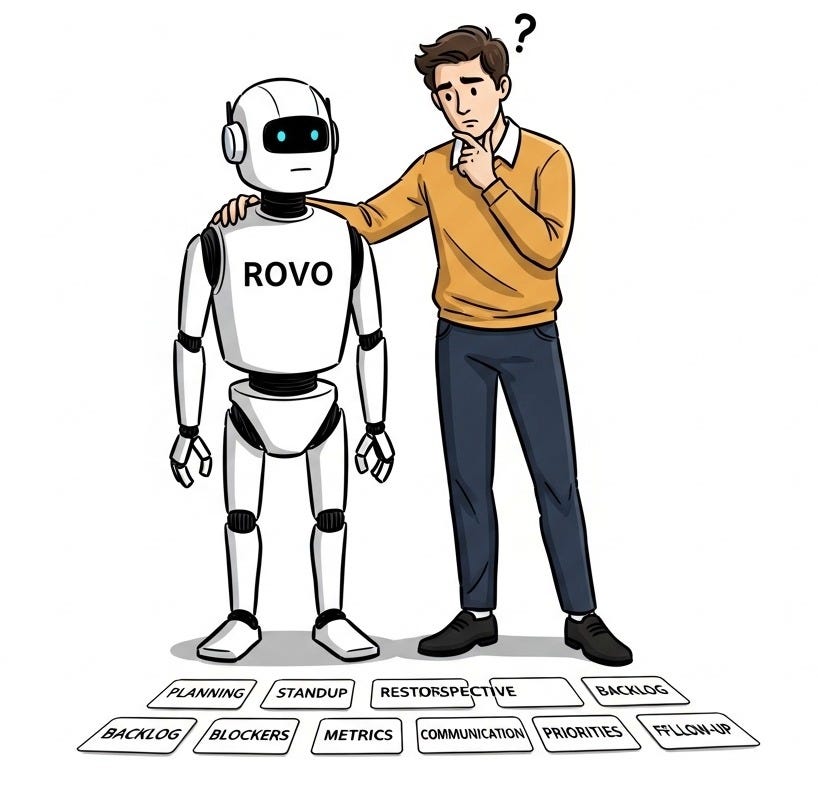
I’ve been collecting notes on those teams on what they actually use, the exact queries they type, and where they’ve hit roadblocks.
This post is that list.
Here’s what I am hoping you learn from this post:
What ROVO’s out-of-the-box agents can do for a Scrum Master
Examples of how people are using those agents
There’s a lot to cover, so let’s get started.
If you are new to Winning Strategy, here’s what you missed in the past few weeks
Got an urgent question?
Get a quick answer by joining the subscriber chat below.

Which ROVO Agents are Scrum Masters successfully using?
They are using ROVO to handle repetitive, administrative tasks. The list below is based on what's genuinely in use across the team.
These are out-of-the-box ROVO agents.
So if your team is on Atlassian Cloud with ROVO enabled, you have access to all of them today.
#1. Backlog Refinement: Theme Analyzer
This is being used to scan the backlog and then group issues into recurring themes.
You open it in Rovo Chat and describe what you want in plain language:
point it at a project,
paste in a search results page link, or
give it a JQL query if you want to narrow the scope
The agent handles the rest.
The simplest way to start using it is with the built-in conversation starter prompt below:
“Help me group the issues in project X into themes.”
It will ask clarifying questions if it needs more context.
Scrum Masters are using this agent to map what stories have been piling up and have not been worked on.
One thing to keep in mind:
This agent was built primarily for analyzing customer feedback and support tickets at scale. Scrum Masters are applying this to backlog refinement, and it works well for that, but the output reflects what’s written in the tickets.
Incomplete descriptions and unclear titles lead to incorrect groupings.
#2. Backlog Refinement: Work Item Organizer
This out-of-the-box agent is being used to handle the backlog cleanup.
Things like
moving items into sprints,
linking loose tickets to epics,
flagging old written issues that haven't been touched in months
It's typically run as a pre-refinement tidy-up.
Like the Theme Analyzer agent, you interact with it conversationally in Rovo Chat. You describe what you need, it proposes the actions, and you confirm your decision before anything changes.
Queries Scrum Masters are using:
“Find all backlog items not linked to an epic and suggest which epics they belong to”
“Identify issues in the backlog that haven’t been updated in over 90 days”
“Move all story-type items estimated under 5 points into the next sprint”
Two things you must know before you use it:
First: bulk actions are capped at 20 work items at a time. If you ask it to move or update a large batch of issues, it will stop at 20. On an active backlog, this limit comes up quickly, so expect to run it in multiple passes rather than in a single sweep.
Second: the agent proposes actions and waits for your confirmation. It doesn’t make changes without your approval. That’s useful to know before you set expectations with the team about what it can do automatically.
#3. Sprint Planning: Readiness Checker
Once configured, the Readiness Checker runs automatically when a new ticket is created.
It checks whether the ticket has:
acceptance criteria,
a definition of done, and
enough context to actually be planned
If something's missing, it adds a comment to the issue flagging what's needed before they reach planning.
You can use it either:
manually through Rovo Chat (you open the agent, point it at a ticket, and get feedback immediately) or
automatically via a Jira automation rule
The automation approach is more scalable, but Scrum Masters also use it manually to spot-check individual tickets before planning.
Note: We will discuss each agent in more detail in future posts.
#4. Sprint Planning: Breaking down work
ROVO chat
Through Rovo Chat, you can take a large Epic and ask ROVO to break it into smaller, more actionable User Stories.
It pulls context from linked Confluence pages, linked issues, and any attached documents to inform the breakdown. We have a Confluence page set up with WAHZUR and T-Split techniques that it usually refers to.
Queries Scrum Masters are typing:
“Break this epic into individual user stories with acceptance criteria.”
“This ticket is too large for one sprint. Suggest how to split it into smaller pieces.”
“Draft a description and acceptance criteria for this ticket based on the Confluence spec linked to it.”
Work Item Planner
This out-of-the-box agent’s main use is to break large items into actionable steps.
Note: “Work item Planner” is separate from “Work item Organizer.”
The Organizer tidies up what already exists, the Planner creates what doesn't yet exist.
You can use “Work item Planner” in two ways:
The first is directly inside Jira, without going through chat at all.
Open an epic, go to the child work items area, select Add, then Suggest
Rovo generates a list of proposed child items based on the epic's description
You review them, remove what doesn't fit, and create the ones you want. This is the simpler starting point for most teams
The second is through the Work Item Planner agent in Rovo Chat. The agent's built-in conversation starters are:
"Break down my epic into subtasks" and
"Turn this page into a list of tasks."
One thing that applies to both methods: the quality of the output depends directly on what's written in the epic description.
Rovo only reads what you give it. If you want to use a Confluence page with instructions, you need to link that page in the epic description first. It doesn't automatically scan linked issues or attached documents.
#5. Retrospectives: Transcript Insights Reporter
The Transcript Insights Reporter is a general transcript analysis agent.
It was built primarily for customer interviews and user research transcripts. Scrum Masters are applying it to retrospective meetings, and it works for that purpose, but it is important to know that this agent wasn't purpose-built for retros.
Here’s the workflow:
After the retro, you open the agent in Rovo Chat, paste in the transcript (if you have one recorded), and ask it to identify themes and suggest next steps
It returns a structured text response (1) with themes from the discussion, observations, and (2) recommended actions
That output then needs to be reviewed and turned into Jira tickets manually, or via a follow-up prompt.
The agent surfaces the analysis; it doesn't create tickets on its own
The agent’s built-in conversation starter is:
“Extract insights from this transcript and turn them into interview notes.”
For retros, Scrum Masters use the following prompts:
“Here is the transcript from our sprint retrospective. Identify the main themes and suggest action items for each”
“What were the main concerns raised in this meeting, and what actions did the team agree to?”
One thing worth knowing:
There is a separate agent called the Meeting Insights Reporter, launched more recently.
That one doesn't work from a pasted transcript. It searches meeting notes and transcripts already saved in Confluence via Loom. If your team doesn't use Loom, this agent isn't available to you. The Transcript Insights Reporter is the one that works with a transcript you paste in directly.
Also…
The silent retro caveat applies here:
If your retrospective runs mostly on written stickies and dot voting without verbal discussion, there's no transcript to work with.
The Transcript Insights Reporter agent is useful for teams where the retro is conversation-based, and someone is capturing or recording it.
#6. Blocker Detection: Blocker Checker
Blocker Checker is an automation agent.
It is designed for use inside a Jira automation rule. It doesn't run on its own, and it's not something you interact with through chat.
Here's how they have it set up:
You build a Jira automation rule with three parts: a trigger, the Blocker Checker agent, and a follow-up action
The trigger watches for a condition, typically a comment added to an issue containing language that suggests the work is stuck
The rule calls the Blocker Checker, which reads the context and evaluates whether the issue is blocked
A second action in the rule then uses the agent's response to transition the issue status to Blocked
The agent signals; the automation executes.
This means the setup requires more than just enabling the agent. You need to:
configure the automation rule,
write the trigger conditions,
connect the agent, and
add the status-change action
Example of how it runs:
Let’s say a developer comments at 2 pm that they're waiting on sign-off from another team. The rule fires, and the issue status changes to Blocked the same afternoon. The Scrum Master sees it on the board without waiting for the next standup.
That difference in response time (same day versus next morning) is where this automation is useful, particularly for teams where impediments tend to surface late.
#7. Sprint Reporting
There is no dedicated out-of-the-box agent for sprint reporting. What Scrum Masters are doing here falls into two approaches.
1. First is using Rovo Chat directly for end-of-sprint summaries
You ask it to pull data from the completed sprint and return a structured summary:
completed items,
carryover,
current blockers, etc.
For single-sprint summaries, this works reasonably well, though the quality varies depending on how consistently the team has been maintaining their Jira data.
Prompts that work:
“Summarize Sprint 12 results: how many points were planned, how many were completed, and what carried over”
“List all incomplete items from the last sprint and their current status”
"Generate a sprint report for stakeholders covering blockers and carryover items"
Avoid this:
Avoid asking Rovo for velocity. Velocity requires comparing completed work across multiple sprints, and as covered in the limitations section below, cross-sprint reasoning is where Rovo produces unreliable results. Velocity is better pulled from Jira's built-in Velocity Report than asked of Rovo Chat.
2. Second approach
This is used by Scrum Masters who need consistent output every sprint. They are building a custom agent in Rovo Studio specifically for sprint reporting.
You define what the agent should pull, how to structure the output, and connect it to the relevant Jira project. It takes some setup, but once configured, it produces the same format each sprint without requiring a new prompt each time.
Note: We will learn how to build these in future posts.
#8. Finding issues without writing JQL
Scrum Masters who don't write JQL regularly use ROVO Chat to convert plain-language questions into Jira queries and run them.
Queries Scrum Masters are typing:
“Show me all bugs assigned to the backend team that have been in progress for more than five days”
“Find all tickets with no assignee that were moved into the current sprint”
“List all issues flagged as high priority that haven’t been updated in the last week”
#9. Cross-Team Dependencies: Deep Research
In environments where multiple teams share dependencies, ROVO's Deep Research mode helps SMs identify cross-team dependencies.
Deep Research scans across:
projects,
Confluence pages and
connected tools
and compiles a report on the current status and dependencies. Before using it, there are two things to know:
It takes up to 15 minutes. This is not a quick process
It will first ask you clarifying questions. The current version of Deep Research doesn't run immediately on submission. It first asks targeted questions to confirm the scope
Prompts used:
“Research the current status of shared dependencies between Team A and Team B for the Q4 release”
“Summarize progress on the platform migration across all teams involved”
"What Jira issues are blocking work across more than one team right now?"
One limitation:
Deep Research only surfaces what was recorded.
If dependencies between teams exist but were never documented in Jira or Confluence, tracked informally, discussed in meetings that weren't captured, or managed through direct messages, they won't appear in the report. The output reflects the quality of what your teams have been writing down.
Bottom line on ROVO output quality
Before wrapping up, there is one thing that cuts across every agent on this list.
Rovo works with what’s in the system.
The Theme Analyzer groups what’s written in your tickets. The Readiness Checker evaluates what’s been filled in. Deep Research synthesizes what’s been documented. Every one of these agents is only as useful as the data behind it.
The Scrum Masters I work with who get consistent, reliable outputs from Rovo are the ones on teams where Jira is reasonably well-maintained, i.e. tickets have descriptions, epics are linked, and sprints are closed properly.
If your team is earlier in that journey, the agents still work, but you’ll notice the gaps quickly. In some ways, that’s useful information. Rovo makes bad data hygiene visible faster.
Next Post…
In the next post, we will explore what can't be done with ROVO yet and when it makes sense to stop waiting for Atlassian to close the gap and start building CUSTOM AGENTS of your own.
Show your support
Every post on Winning Strategy takes a few days of research and 1 full day of writing. You can show your support with small gestures.

If today’s post gave you a new perspective or a “lightbulb moment,” here are three quick ways to help it reach more people:
Enjoyed the read? Hit the 💙. It tells the algorithm this matters.
Have a thought? Drop a 💬. I read every single one.
Know a friend? Forward this to them.
Don’t forget: The best way to stay connected is on the Substack app. It’s where our real-time chat happens and where I can answer your questions directly.
Connect With Me
Winning Strategy provides insights from my experiences at Twitter, Amazon, and my current role as an Executive Product Coach at one of North America’s largest banks.
There’s been a noticeable drop in content quality lately. The AI topics are too trivial - this isn’t why I subscribed.